Project Case Study
Where Are We Going?
A robot-guided exhibition during COVID that let visitors steer a live robot through a gallery via Twitch and MQTT.
When COVID-19 made physical exhibitions impossible in June-July 2021, design student Charlotte Rother came to us with an ambitious concept: what if visitors could explore an exhibition remotely -- not through a pre-recorded video tour, but by controlling a robot in real-time? At Code Space, we helped Charlotte bring this vision to life, guiding her through the technical implementation of a web-controlled robot with live video streaming.
The Concept
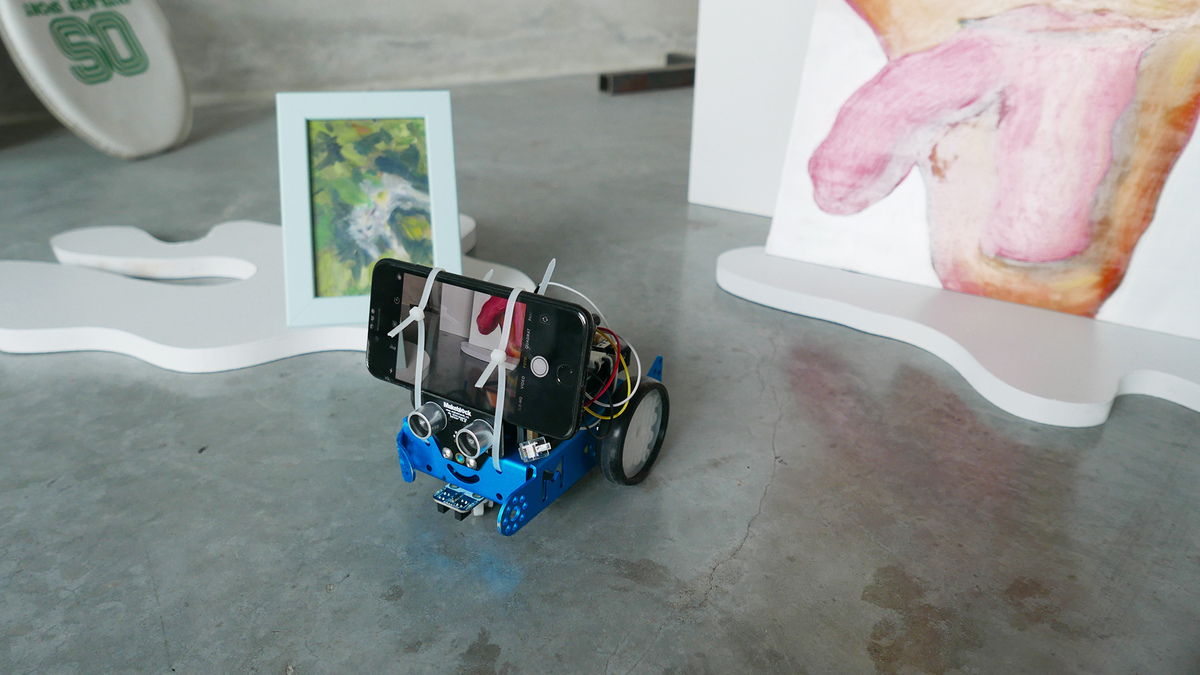
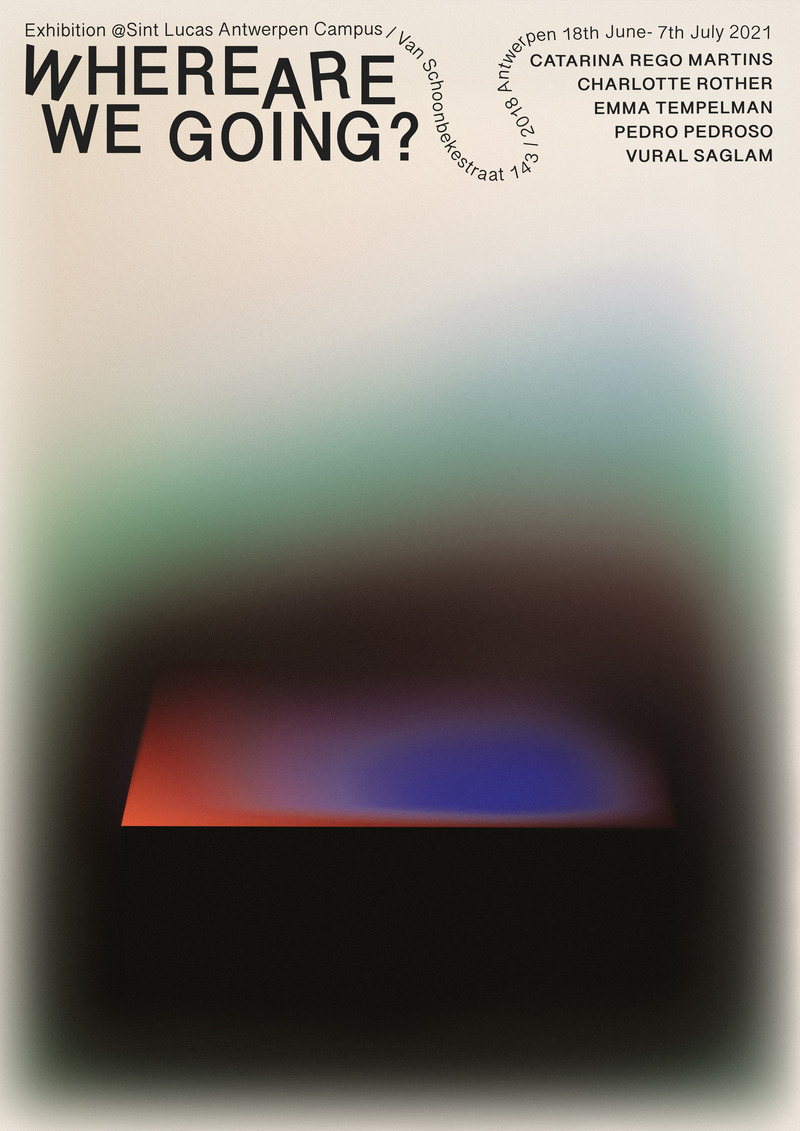
Charlotte's exhibition "Where Are We Going?" featured works by five artists at Sint Lucas Antwerpen. Her idea was to mount a smartphone on a small robot, stream the camera feed to Twitch, and let online visitors steer the robot through a custom web interface. Simple in concept, but it required connecting several technologies: hardware (robot + microcontroller), communication (MQTT messaging), video streaming (Twitch), and a web frontend.
Architecture Overview
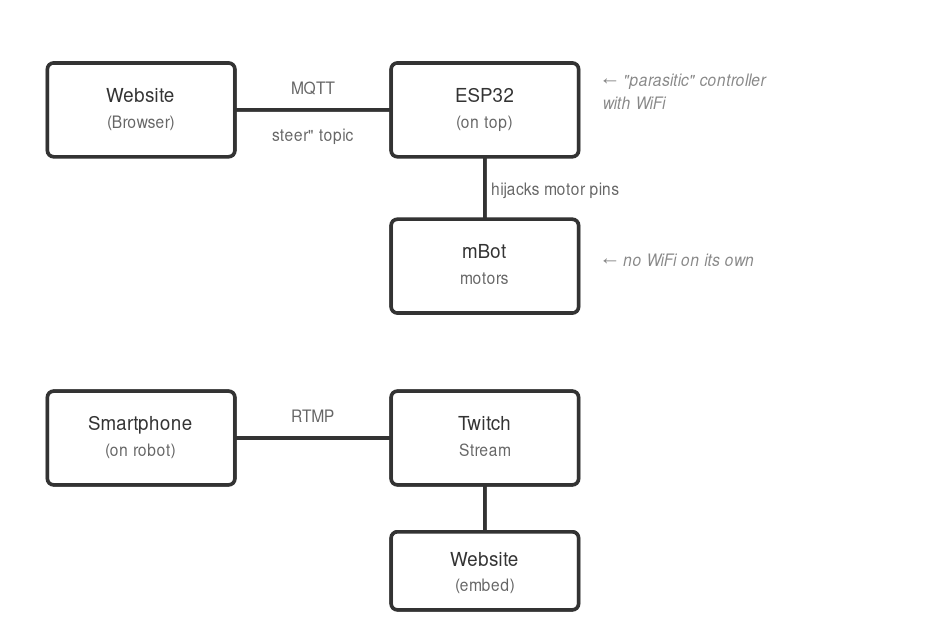
Here's how all the pieces fit together:
Hardware Setup
Components:
- Makeblock mBot (or similar wheeled robot chassis)
- ESP32 development board
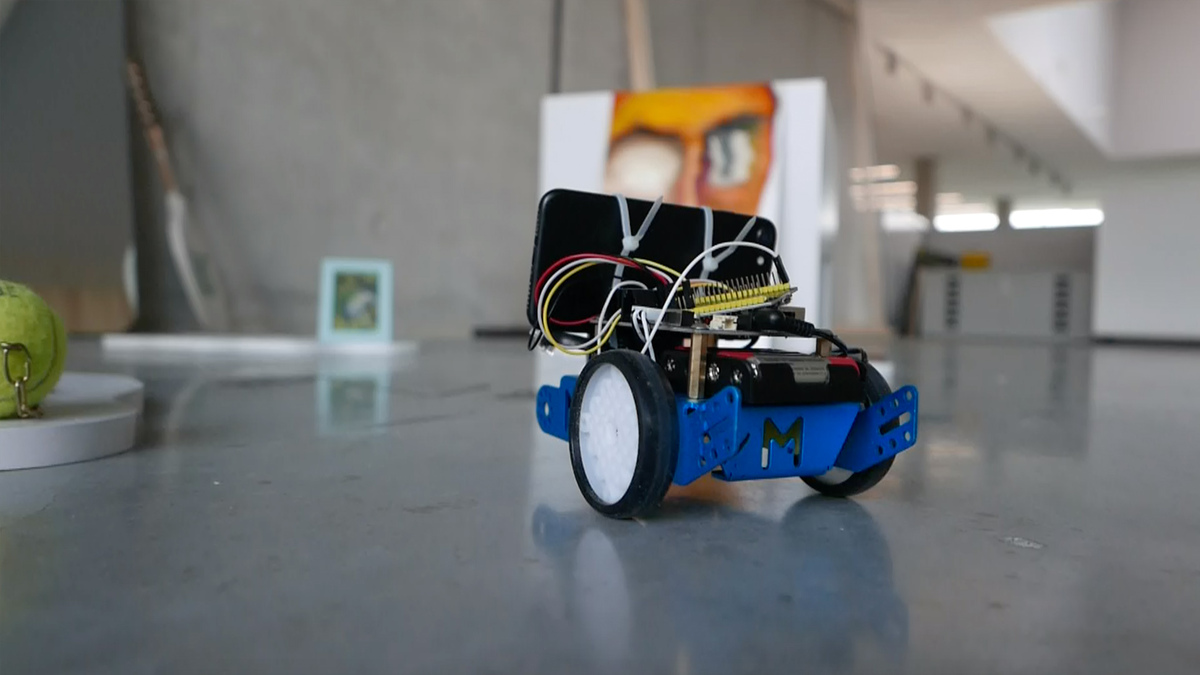
- Smartphone for video streaming
- Cable ties or mount to secure phone and ESP32 to robot
The Parasitic Controller
The mBot has its own microcontroller, but it doesn't have WiFi. Rather than replacing the mBot's brain entirely, we added an ESP32 development board that sits on top of the robot like a parasite. The ESP32 connects to WiFi and receives commands from the internet, then hijacks the mBot's motor controls by sending signals directly to the motor driver pins.
This approach has a nice advantage: the mBot remains fully functional on its own. The ESP32 is just an add-on that can be removed. It's a quick way to make any simple robot internet-controllable without major surgery.
The smartphone sits on top of everything, running a streaming app to broadcast to Twitch.
Wiring: The ESP32 controls three motor states through digital pins:
- Pin 21: Forward
- Pin 22: Left turn
- Pin 23: Right turn
Each pin connects to the motor driver's control inputs. When a pin goes HIGH, that motor action activates.
Robot Firmware (ESP32/Arduino)
The firmware is intentionally tiny: it connects to WiFi + MQTT and translates short messages into motor pins.
Initial variables
#include <WiFi.h>
#include <PubSubClient.h>

int forwardPin = 21;
int leftPin = 22;
int rightPin = 23;

const char* ssid = "your-wifi-ssid";
const char* password = "your-wifi-password";

const char* mqttServer = "your-instance.cloud.shiftr.io";
const int mqttPort = 1883;
const char* mqttUser = "your-username";
const char* mqttPassword = "your-password";

WiFiClient espClient;
PubSubClient client(espClient);
Setting up the robot
void setup() {
  pinMode(leftPin, OUTPUT);
  pinMode(forwardPin, OUTPUT);
  pinMode(rightPin, OUTPUT);

  Serial.begin(115200);

  // Connect to WiFi first...
  WiFi.begin(ssid, password);
  while (WiFi.status() != WL_CONNECTED) {
    delay(500);
    Serial.print(".");
  }

  // ...then configure MQTT and the message callback.
  client.setServer(mqttServer, mqttPort);
  client.setCallback(onMessage);
}
The main loop (and command protocol)
Messages are tiny: [Direction][Duration in ms] like L500, F500, R500.
void loop() {
  if (!client.connected()) {
    reconnect();
  }
  client.loop();
}

void onMessage(const char* topic, byte* payload, unsigned int length) {
  if (length == 0) return;

  // First character is the direction, rest is duration.
  char command = payload[0];
  char buffer[200] = {0};
  strncpy(buffer, (char*)payload + 1, length - 1);
  int duration = atoi(buffer);

  // Map command to a motor pin.
  int pin = 0;
  if (command == 'L') pin = leftPin;
  else if (command == 'F') pin = forwardPin;
  else if (command == 'R') pin = rightPin;

  // Pulse the pin for the requested time.
  if (pin) {
    digitalWrite(pin, HIGH);
    delay(duration);
    digitalWrite(pin, LOW);
  }
}
What happens if the bot loses connection
void reconnect() {
  while (!client.connected()) {
    if (client.connect("esp32", mqttUser, mqttPassword)) {
      client.subscribe("steer");

      // Blink once so we know it's back online.
      digitalWrite(forwardPin, HIGH);
      delay(200);
      digitalWrite(forwardPin, LOW);
    } else {
      delay(5000);
    }
  }
}
MQTT Broker Setup
We used shiftr.io as our MQTT broker—it's free for small projects and supports WebSocket connections (essential for browser-based control).
- Create an account at shiftr.io
- Create a new "namespace" (instance)
- Generate credentials for your devices
- Note the WebSocket URL:
wss://username:[email protected]
The broker acts as a message relay: the website publishes to the steer topic, and the ESP32 subscribes to it.
Web Interface
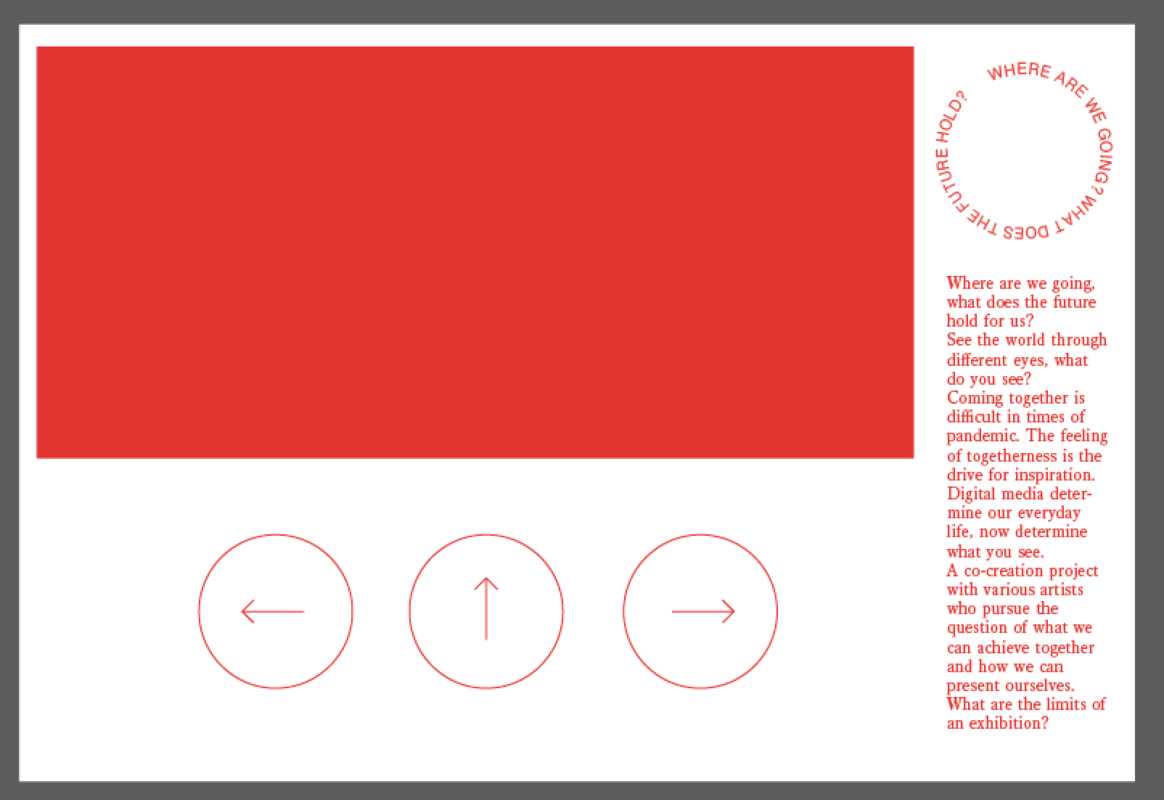
The web page provides a simple control panel: a live Twitch video feed plus three large buttons that send short steering commands to the robot.
JavaScript (MQTT + Controls):
// Embed Twitch stream with correct parent domain (required by Twitch)
const server = document.location.hostname;
const url = `https://player.twitch.tv/?channel=your-channel&parent=${server}&muted=true`;
document.querySelector("iframe").setAttribute("src", url);

// Connect to MQTT broker via WebSocket
const client = mqtt.connect(
  "wss://username:[email protected]",
  { clientId: "browser-" + Math.random().toString(16).substr(2, 8) }
);

client.on("connect", function () {
  console.log("Connected to MQTT broker");
});

// Button handlers - publish short steering commands
document.querySelector("#buttonLeft").addEventListener("click", function () {
  // Turn left for 500ms
  client.publish("steer", "L500");
});

document.querySelector("#buttonForward").addEventListener("click", function () {
  // Move forward for 500ms
  client.publish("steer", "F500");
});

document.querySelector("#buttonRight").addEventListener("click", function () {
  // Turn right for 500ms
  client.publish("steer", "R500");
});
Video Streaming + Hosting
The live feed runs from a smartphone streaming to Twitch, embedded in the UI. Twitch requires a parent parameter that matches the hosting domain. The site itself was hosted on GitHub Pages.
Lessons Learned
Latency: There's inherent delay in this system—MQTT messaging is fast, but Twitch streaming adds 5-15 seconds of latency. Visitors need patience when navigating.
Battery life: The smartphone streaming video drains quickly. For the exhibition duration, Charlotte kept a power bank connected.
Robot speed: The 500ms command duration was tuned through trial and error. Too short and the robot barely moves; too long and it overshoots.
Queue management: With multiple visitors, commands can pile up. A more robust version might implement command throttling or a turn-based system.
Results
The exhibition ran from June 18 to July 7, 2021. Online visitors could navigate through the exhibition space, experiencing Charlotte's work and that of four other artists: Catarina Rego Martins, Emma Tempelman, Pedro Pedroso, and Vural Saglam.
Charlotte Rother developed this project as part of her studies at Sint Lucas Antwerpen. Code Space provided technical coaching and guidance throughout the implementation.